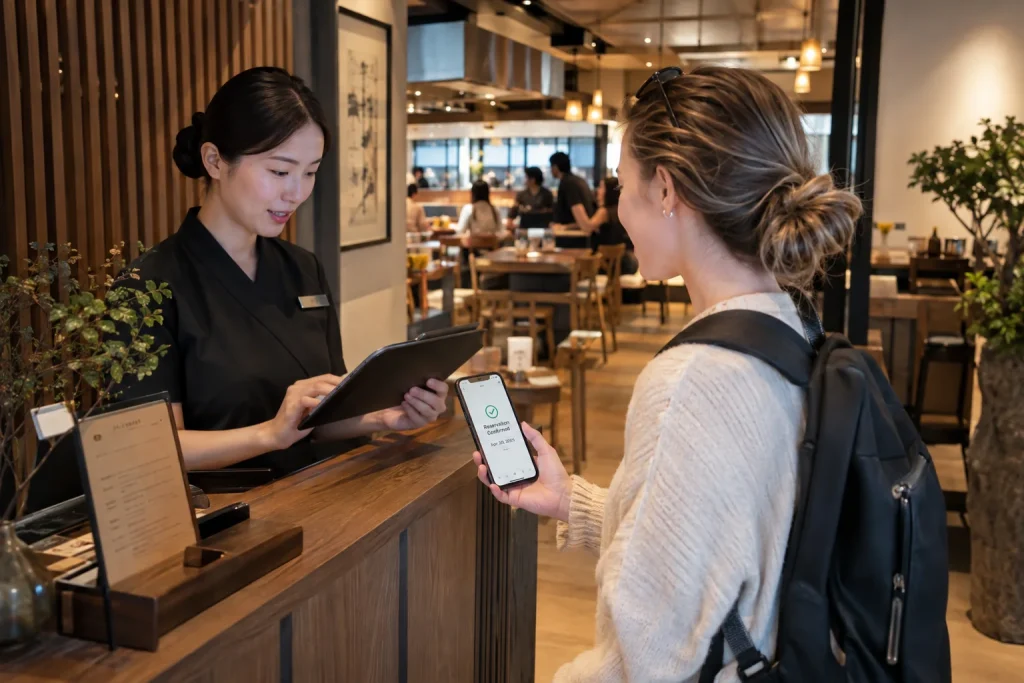
Naver Booking for foreign visitors has become much easier to use in South Korea than it was in the past.
Foreign tourists can now use NAVER to reserve participating restaurants, activities, attractions, beauty services, and other businesses, and NAVER has added passport-based verification for users who do not have a Korean mobile phone number.
The important thing is that not every business uses the same reservation settings, so the exact booking and payment process can still vary.
Naver Booking for foreign visitors: the quick answer
A typical booking process looks like this:
- Create or log in to a NAVER account.
- Search for the business in NAVER or NAVER Map.
- Look for a Book or Reservation button.
- Select the date, time, people, or product.
- Enter the required booking information.
- Complete payment if the business requires prepayment.
- Check the reservation in your NAVER booking history.
Some foreign visitors may also be asked to complete passport verification.
What is NAVER Booking?
NAVER Booking is a reservation system connected to NAVER Search, NAVER Map, and participating businesses.
Businesses can use it for services such as:
- Restaurants
- Activities
- Attractions
- Beauty services
- Classes
- Accommodation-related products
- Other appointment-based services
If a business supports NAVER Booking, a reservation button can appear in its NAVER listing.
Can foreign tourists use NAVER Booking?
Yes, when the business allows foreign customers.
NAVER expanded its foreign-customer booking and ordering support in 2025.
Participating businesses can choose whether to accept reservations from foreign tourists.
This means one business may work perfectly for an overseas visitor while another may still have restrictions.
Foreign booking is enabled by the business
NAVER gives participating businesses a setting that allows or blocks foreign tourist bookings.
If foreign booking is enabled, overseas visitors can proceed through the booking process.
If it is disabled, the same service may not be available to an international visitor even though local users can book it.
NAVER Map can show bookable places
NAVER Map is especially useful because it combines local search with reservation functions.
After finding a restaurant, activity, or other business, look for a booking button in the place information.
If no booking button appears, the business may not offer NAVER Booking for that service.
Foreign visitors can also find Things to do
NAVER Map provides a Things to do booking area for overseas visitors.
According to NAVER Help, non-resident foreign tourists can see selected activities through the Booking area in NAVER Map when using an eligible NAVER account.
This can be useful for discovering experiences that are specifically available to international visitors.
Do you need a NAVER account?
Yes, NAVER Booking generally requires you to log in with a NAVER account.
This account stores your booking history and sends reservation notifications to the person who made the booking.
If you are planning to use NAVER Booking, creating your account before your trip can reduce setup time after arrival.
Passport verification changed the process in 2026
In June 2026, NAVER introduced Passport Verification for foreign users.
The feature is designed for foreign visitors who have difficulty using Korean mobile-phone identity verification.
NAVER says passport verification can be used to access travel-related services including Booking, Order, and payments through NAVER Map.
You may not need a Korean phone number
This is one of the most important improvements for international visitors.
Previously, Korean identity-verification requirements could create problems for travelers who did not have a locally registered phone number.
Passport verification gives eligible foreign users another way to verify their identity.
How passport verification works
NAVER’s official instructions say eligible users need an original passport.
The process can require:
- Taking a live photo of the passport
- Allowing camera permission
- Completing facial verification
- Matching the account name and date of birth with the passport
The passport must be valid and issued by a country other than South Korea.
Your NAVER account information must match
The name and date of birth registered in your NAVER account should match the information on your passport.
If those details do not match, verification can fail.
This is another reason to use accurate personal information when creating an account for travel services.
How to find a business that accepts reservations
Search for the business in NAVER or NAVER Map.
If NAVER Booking is available, you should see a reservation or booking button.
Select it and follow the available options for date, time, number of people, or service type.
Some bookings require payment in advance
Not every reservation is free to book.
Some businesses require full or partial payment before confirming the reservation.
NAVER expanded foreign-card support for participating foreign-tourist bookings when advance payment is required.
Can foreign credit cards work?
For eligible foreign-customer reservations, NAVER supports overseas-issued card payments through Npay where the business uses supported prepayment features.
However, payment availability can still depend on the specific business, product, and booking configuration.
Do not assume every NAVER reservation accepts every foreign card.
Some services can still be restricted
Foreign booking support does not automatically mean every product is available.
NAVER specifically notes that services requiring adult verification, such as certain alcohol-related orders, can remain restricted.
Individual businesses can also set their own booking conditions.
Can you book for another person?
NAVER allows the person making the reservation to add visitor information in supported bookings.
This can be useful when you are reserving for a group or when another member of the group will actually visit the business.
The visitor information is optional in supported cases and is not the same as transferring ownership of the reservation.
Booking notifications go to the account holder
NAVER explains that reservation notifications are sent to the NAVER account that made the booking.
The person added as a visitor does not automatically receive the same notifications.
If you are booking for someone else, share the reservation details with them directly.
Can you change a reservation?
Change options depend on the reservation type.
NAVER notes that some paid Npay reservations cannot simply be modified.
In those cases, you may need to cancel the reservation and make a new one.
Always check the cancellation policy before confirming a paid booking.
Where do you find your reservation?
Your booking history is connected to the NAVER account used to make the reservation.
Keep access to that account during your trip.
This is important if you need to show the booking details, cancel the reservation, or contact the business.
Why the Korean place name is still useful
Even when you book through NAVER in English, save the Korean business name and address.
This can help when:
- Using a taxi
- Searching again in NAVER Map
- Finding the correct building
- Asking local staff for directions
Common problems foreign visitors can encounter
- The business does not accept foreign bookings
- The booking requires an account you have not created yet
- Your NAVER account information does not match your passport
- The service requires a type of verification you cannot complete
- The business requires prepayment
- Your card is not supported for that reservation
- You book the wrong date or number of people
A practical Naver Booking routine
- Create a NAVER account before your trip.
- Make sure your name and birth date are accurate.
- Search for the business in NAVER Map.
- Confirm that a booking button appears.
- Check the cancellation and payment conditions.
- Complete passport verification if requested.
- Pay only after confirming the date, time, and number of people.
- Save the booking confirmation and Korean place name.
Naver Booking for foreign visitors is much easier than before
Naver Booking for foreign visitors has improved significantly with foreign-tourist booking support, foreign-card payments for eligible reservations, and passport verification.
That does not mean every Korean business is automatically accessible to every traveler, but the gap between local and foreign users is becoming smaller.
Related BestSpot Guides
- how to create a Naver account as a foreign visitor
- why Korean apps use Naver and Kakao login
- why foreign credit cards fail in some Korean apps
Bottom line
Naver Booking for foreign visitors is now a practical way to reserve many Korean restaurants, experiences, and services.
Create a NAVER account, keep your profile information accurate, use NAVER Map to find participating businesses, and use passport verification when needed.
Before paying, always check the cancellation rules and confirm that the business accepts foreign customers.
Sources
- NAVER Help — Foreign Customer Booking and Ordering
- NAVER Corp. — Passport Verification for Foreign Visitors
- NAVER Help — Foreign Passport Verification
- NAVER Help — Visitor Information for Booking
- NAVER Help — Things to do Reservations for Foreign Tourists
Updated: September 2026. NAVER Booking eligibility, passport verification, foreign-card support, payment rules, and participating businesses can change.