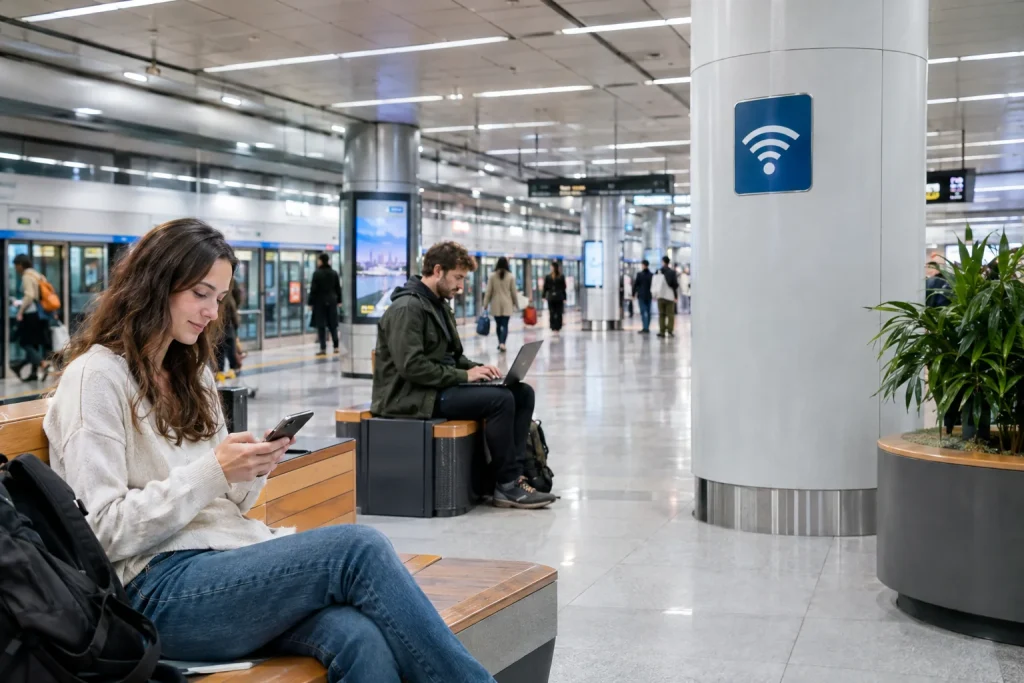
Korean public Wi-Fi for travelers is widely available and can reduce how much mobile data you use during a trip to South Korea. Airports, subway stations, train stations, cafés, hotels and many public spaces provide some form of Wi-Fi access.
That does not mean every network is equally reliable or appropriate for every task.
A traveler should know where public Wi-Fi is commonly available, how to identify legitimate networks, when mobile data is a better choice, and how to avoid unnecessary security risks while connected.
This guide explains the practical basics.
Korean public Wi-Fi for travelers: the quick answer
Free Wi-Fi is common in South Korea, particularly in major cities and transportation hubs.
For most travelers, the best approach is:
- Use public Wi-Fi for maps, general browsing and low-risk tasks when convenient.
- Keep a SIM or eSIM available for continuous connectivity.
- Avoid sending highly sensitive information over an unfamiliar open network.
- Confirm that the network belongs to the airport, hotel, café or public authority you are using.
- Turn off automatic Wi-Fi connection when you no longer need it.
Where can you find free Wi-Fi in Korea?
According to VISITKOREA, public Wi-Fi is available in many common travel locations, including:
- Airports
- Subway stations
- Train stations
- Certain bus stops
- Public facilities
- Cafés
- Hotels and other accommodations
Availability is especially strong in major cities.
Seoul has a large public Wi-Fi network
Seoul operates public Wi-Fi across streets, parks, traditional markets, public buildings, buses, bus stops and tourist areas.
The city has also been replacing older equipment and improving Wi-Fi capacity in heavily visited areas.
For travelers, this means public Wi-Fi can often be found during normal sightseeing without deliberately searching for an internet café.
Do not assume Wi-Fi will work everywhere
Korea has excellent internet infrastructure, but public Wi-Fi is not guaranteed in every location.
Coverage may become less consistent outside major cities, inside certain buildings or in less populated areas.
If you depend on internet access for navigation, transportation, hotel communication or translation, mobile data remains useful as a backup.
Public Wi-Fi and a SIM are not competing choices
You do not need to choose only one.
A practical traveler can use a SIM or eSIM for dependable connectivity and switch to free Wi-Fi when it is convenient.
This can reduce mobile-data usage while still ensuring that maps and communication work when no public network is available.
How to recognize a legitimate Wi-Fi network
Before connecting, look for the network name displayed by the location itself.
For example, a hotel may provide the Wi-Fi name at reception, while an airport or public facility may display connection instructions on signs.
If several similar network names appear, do not simply select the strongest signal.
Confirm the correct network with staff or official signage when possible.
Be careful with look-alike network names
An unfamiliar Wi-Fi name can be made to resemble a legitimate public network.
A name such as “Free Airport WiFi” or “Hotel Guest WiFi” does not by itself prove who operates it.
If the network name is not clearly displayed by the location, verify it before entering passwords or other important information.
Open Wi-Fi does not automatically mean dangerous
Many legitimate public networks do not require a traditional Wi-Fi password.
They may instead use a browser login page, terms-and-conditions screen or another connection process.
The absence of a Wi-Fi password is therefore not proof that a network is fraudulent.
It does mean you should be more selective about what you do while connected.
What tasks are reasonable on public Wi-Fi?
Public Wi-Fi is convenient for ordinary travel activities such as:
- Checking maps
- Looking up restaurant information
- Checking public transportation
- Reading tourism websites
- Using translation tools
- Downloading general travel information
- Messaging friends or travel companions
These tasks generally do not require you to transmit highly sensitive personal information.
Be more cautious with sensitive accounts
When connected to an unfamiliar public network, avoid unnecessary high-risk activity.
For example, if you can wait until you are using mobile data or a trusted hotel network, consider delaying:
- Online banking
- Changing important passwords
- Accessing highly sensitive work systems
- Entering financial or identity information on unfamiliar websites
The goal is not to fear public Wi-Fi, but to use the appropriate connection for the appropriate task.
Modern HTTPS helps protect web traffic
Most major websites and apps now use encrypted HTTPS connections.
This significantly improves security compared with older unencrypted web browsing.
However, HTTPS does not make every public network trustworthy, and it does not protect you from entering information into a fake website or fraudulent login page.
Always check that you are using the correct website or app.
Do not install certificates or unknown apps casually
A normal café or public Wi-Fi connection should not require you to install a random app, configuration profile or unfamiliar security certificate without a clear reason.
If an unexpected page asks you to download software before accessing the internet, stop and verify the instructions with the location.
This is particularly important when the request appears different from the instructions shown by the official venue.
Turn off automatic connection to unknown networks
Smartphones can remember Wi-Fi networks and reconnect automatically.
That is convenient at home but less useful while traveling through many public spaces.
Review saved networks occasionally and disable automatic connection to networks you no longer use.
This also prevents your phone from repeatedly attempting to join unnecessary public hotspots.
Forget temporary networks after your trip
If you connect to many hotels, cafés or temporary hotspots, remove networks that you no longer need.
On both iPhone and Android devices, saved Wi-Fi networks can generally be removed from Wi-Fi settings.
This is a simple way to keep your network list clean after traveling.
What about a VPN?
A reputable VPN can add another encrypted layer between your device and the VPN service when you use an unfamiliar network.
It can be useful for travelers who frequently access work accounts or sensitive information through public Wi-Fi.
However, a VPN is not a substitute for basic caution.
It cannot make a fraudulent website legitimate or protect you if you voluntarily enter credentials into a fake login page.
Hotel and café Wi-Fi can also vary
A password-protected network is not automatically private simply because it belongs to a café or hotel.
Many guests may share the same password.
Use the same general precautions you would use on other shared networks.
For particularly sensitive activity, mobile data may still be preferable.
Public Wi-Fi at airports and train stations
Transportation hubs are among the easiest places for visitors to find Wi-Fi in Korea.
Airports and major stations often provide official network information on signs, information screens or websites.
Because these places can have many available networks, confirm the official network rather than connecting based only on the name.
Public Wi-Fi in Seoul tourist areas
Seoul has continued expanding and upgrading public Wi-Fi in locations frequently used by residents and visitors.
Recent city projects have focused on improving equipment in streets, markets, parks, bus stops and popular tourism districts.
This makes free connectivity particularly useful for travelers moving around central Seoul.
Wi-Fi can help when you have no Korean phone number
Many basic travel services work with only an internet connection.
For example, Wi-Fi can help you access maps, translation tools, email, hotel information and online tourism services even before you obtain a Korean SIM.
The Korea Tourism Organization’s 1330 Travel Helpline also provides online calling and chat services, which can be useful when an internet connection is available.
Why mobile data is still worth having
Public Wi-Fi is convenient but not continuous.
A SIM or eSIM is especially useful when:
- You are walking between Wi-Fi locations
- You need real-time bus information
- You are using navigation continuously
- You need to contact a taxi or accommodation
- You travel outside large cities
- You arrive late at night
For many visitors, Wi-Fi is best treated as a supplement rather than the only internet connection.
Download important information before leaving Wi-Fi
Before leaving your hotel or another reliable connection, save information that you may need later.
Useful items include:
- Your hotel address in Korean
- Train or bus reservations
- Airport transportation details
- Maps or screenshots
- Emergency contact information
- Passport or booking information stored securely
This reduces your dependence on finding a network at exactly the right moment.
Battery life matters too
Searching continuously for Wi-Fi networks can increase battery use.
If you do not need Wi-Fi while moving between locations, turning it off temporarily can reduce unnecessary scanning.
A portable battery can also be useful if your phone is your main map, translator and travel-information device.
Common Wi-Fi mistakes travelers make
- Connecting to the first network with the word “Free” in its name
- Assuming every open network belongs to the venue
- Entering sensitive information when mobile data is available
- Installing unfamiliar software to join a network
- Depending entirely on free Wi-Fi for navigation
- Leaving automatic connection enabled for dozens of temporary networks
- Forgetting to save essential information offline
A practical Wi-Fi routine for Korea
A simple routine works well:
- Keep mobile data available for essential connectivity.
- Use official public, hotel or café Wi-Fi when convenient.
- Verify unfamiliar network names.
- Use Wi-Fi for general travel tasks.
- Switch to mobile data for sensitive activity when possible.
- Remove unnecessary saved networks later.
This gives you the convenience of Korea’s extensive Wi-Fi infrastructure without depending on it for everything.
Korean public Wi-Fi for travelers is best used as a bonus
South Korea is one of the easier destinations for staying connected.
Free Wi-Fi is widespread in airports, transportation facilities, cafés, accommodations and public areas, especially in major cities.
But the most reliable setup for a visitor is usually a combination of public Wi-Fi and a SIM or eSIM.
That gives you free connectivity when it is available and dependable mobile data when it is not.
Related BestSpot Guides
- Korean SIM card vs eSIM for travelers
- apps to install before landing at Incheon Airport
- Korea emergency numbers for tourists
Bottom line
Korean public Wi-Fi for travelers is easy to find in many airports, subway stations, train stations, cafés, hotels and public spaces.
Use official or clearly identified networks, avoid unnecessary sensitive transactions on unfamiliar Wi-Fi, and keep mobile data available for situations where a stable connection really matters.
With that approach, Korea’s extensive Wi-Fi infrastructure can make navigation, translation and everyday travel significantly easier.
Sources
- VISITKOREA — Electricity & Communications
- VISITKOREA — Money-saving Tips
- Seoul Metropolitan Government — Seoul Free WiFi
- Seoul Metropolitan Government — 2026 Public Wi-Fi Upgrade
Updated: October 2026. Wi-Fi availability, network names, connection methods and service quality can change by location.