
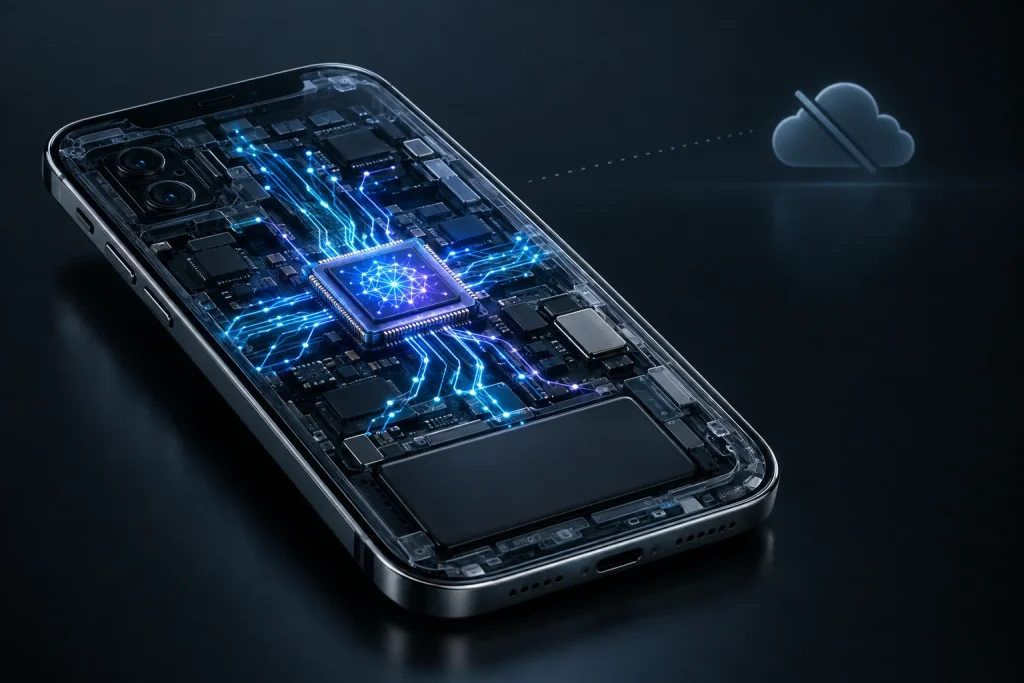
When a phone unlocks by recognizing its owner, removes background noise from a call or suggests the next word in a message, artificial intelligence may be involved. But that does not necessarily mean the phone is sending information to a distant data center. Many AI features can run directly on the device.
This approach is known as on-device AI. It allows a smartphone, tablet, wearable or computer to analyze data and produce a result using its own processors. Cloud AI, by comparison, sends a request over the internet to servers that run the AI model and return an answer.
On-device processing can improve responsiveness, enable offline features and reduce the amount of personal data that leaves a phone. It also involves compromises. Mobile devices have limited memory, battery capacity and cooling, so they cannot run every AI model locally. That is why many modern apps use a combination of on-device and cloud AI.
What Is On-Device AI?
On-device AI is artificial intelligence that performs its main computation on the device where the data is created. The software uses a locally stored AI model to recognize patterns, classify information or generate an output without relying on a remote server for each request.
An AI model is a mathematical system trained to identify relationships in data. Training a capable model usually requires substantial computing resources and is commonly performed in data centers. After training, a smaller or optimized version of the model can be installed on a phone. Using that trained model is called inference.
For example, a phone might run inference to determine whether a photo contains a pet, separate a speaker’s voice from background noise or predict which word is likely to come next. The phone is applying patterns learned during training rather than learning the entire task from scratch each time.
How On-Device AI Works
A local AI feature usually begins with input from an app or one of the phone’s sensors. That input could be an image from the camera, audio from a microphone, text entered by the user or motion data from an accelerometer.
The basic process has several steps:
- Input is collected: An app receives a photo, sound, text or other information.
- Data is prepared: Software may resize an image, divide text into smaller units or convert audio into a format the model can process.
- The model runs: The phone’s processors perform the mathematical operations needed to analyze the input.
- A result is produced: The app receives a label, prediction, enhancement or generated output.
- The app takes action: It may organize a photo, display a suggestion, improve a call or complete another task.
Developers often adapt models for mobile hardware. One common technique is quantization, which represents model values with lower-precision numbers. This can reduce storage, memory use and computation, although aggressive optimization may affect output quality. Models can also be compressed, simplified or designed specifically for efficient local use.
What Is an NPU or Neural Engine?
A phone contains several kinds of processors. The central processing unit, or CPU, is a flexible general-purpose processor. The graphics processing unit, or GPU, handles many calculations in parallel and is useful for graphics as well as some AI workloads.
An NPU, short for neural processing unit, is a processor designed to accelerate the kinds of repeated mathematical operations used by neural networks. Manufacturers may use names such as neural engine or AI accelerator, but the broad idea is similar.
A simple analogy is a workshop. The CPU is a versatile worker who can handle many different jobs. The GPU is a large team suited to doing similar jobs at the same time. The NPU is specialized machinery built to perform common AI operations efficiently.
This specialization matters in a battery-powered device. An NPU may complete a compatible AI task using less energy than a CPU would require for the same work. It can also help process camera or audio data quickly enough for real-time features. However, an NPU does not independently make a phone intelligent. It runs instructions from software, and its usefulness depends on the model, operating system and app support.
Not every AI task runs entirely on the NPU. A phone may distribute work across the CPU, GPU, NPU and other dedicated components. The operating system or AI framework can select processors based on speed, power use and compatibility.
Common Uses of On-Device AI
Local AI often works behind the scenes rather than appearing as a separate chatbot. Common applications include:
- Photography: Recognizing scenes, reducing noise, adjusting exposure, separating subjects from backgrounds and organizing images.
- Voice and audio: Detecting wake phrases, transcribing short recordings, filtering call noise and identifying sounds.
- Text assistance: Predicting words, correcting spelling, summarizing supported content or suggesting replies.
- Security and access: Supporting face or voice recognition while keeping biometric processing within protected parts of the device.
- Accessibility: Generating captions, identifying objects or interpreting sounds without requiring a continuous connection.
- Personalization: Learning useful patterns, such as frequently used actions, while limiting the need to upload raw activity data.
Whether a particular feature is fully local depends on its design. Two apps may offer similar functions while processing data in different places, so the feature name alone does not reveal how information is handled.
On-Device AI Versus Cloud AI
The main difference is the location of the computation. With on-device AI, the phone processes the request locally. With cloud AI, the phone sends data or instructions to remote servers, which run the model and send back a response.
Cloud systems can use larger models, more memory and more powerful hardware than a phone. They can also be updated centrally without requiring every user to download a new model. This makes the cloud well suited to complex tasks, long requests and services that need access to frequently changing information.
Local models are constrained by the phone’s hardware, but they provide advantages in situations where connectivity, responsiveness or data exposure matters. Neither approach is automatically superior. The right choice depends on the task and the user’s expectations.
Benefits of Running AI on a Phone
More Data Can Stay Local
If a task is completed on the phone, its raw input may not need to be uploaded. A keyboard can make suggestions without sending every keystroke to a server, for example. This can reduce data exposure and give developers more privacy-preserving design options.
Local processing does not guarantee privacy by itself. An app can still save, share or later upload its results. Privacy also depends on permissions, software design, security protections and the developer’s data practices.
Lower Latency
Cloud processing includes the time needed to upload a request, wait for a server and download the response. A local model avoids those network steps. For compatible tasks, that can make camera effects, speech features and interface suggestions feel more immediate.
Offline Operation
A locally stored model can work without mobile data or Wi-Fi. This is useful while traveling, in areas with weak reception or during a network outage. Some features may still need an initial model download or occasional updates.
Reduced Dependence on Servers
On-device features are less affected by server congestion or service interruptions. They may also avoid sending a network request for every small task. However, apps can still depend on online systems for accounts, synchronization or other functions.
Battery, Heat and Other Tradeoffs
Local AI is not free. Every calculation consumes energy, and sustained processing can generate heat. Efficient hardware helps, but a demanding model used repeatedly may still increase battery drain. Phones may slow intensive workloads when temperatures rise or choose a less demanding mode to protect the device.
Cloud AI shifts much of the computation away from the phone, but it still uses power for wireless communication, screen activity and supporting app processes. The more efficient option varies with the model, network conditions and frequency of use.
Storage and memory are also important. AI models can occupy significant space, and they need working memory while running. A model that fits on a high-end phone may not run well on a device with less memory or an older processor.
Local models may offer less capability than large cloud models. They can have smaller context limits, support fewer languages or produce less detailed results. Like cloud models, they can also misunderstand input, reflect weaknesses in their training data or generate inaccurate output. Running locally changes where the computation happens; it does not eliminate the limitations of AI.
Why Hybrid AI Is So Common
Many services combine local and cloud processing to balance speed, privacy and capability. This is often called a hybrid AI approach.
A phone might handle a wake phrase locally, then send a more complex spoken request to a cloud service after receiving permission. A photo app might use local AI for basic organization but use servers for an advanced editing operation. A writing tool could provide simple suggestions offline and reserve longer generation tasks for a larger online model.
Hybrid systems may also decide where to run a task based on model availability, connection quality, battery level or the sensitivity of the data. Ideally, an app makes this behavior clear and provides meaningful controls. In practice, users may need to review privacy information, settings and permission prompts to understand when cloud processing occurs.
How to Tell Whether an AI Feature Is Local
There is no universal label, but several clues can help. Check whether the feature works in airplane mode, whether it requires an additional model download and whether its settings mention local or server processing. An app’s privacy documentation may explain which data is uploaded and for what purpose.
Offline operation is a useful indicator, but it is not definitive. Some apps cache results, while others perform part of a task locally and complete the rest online. The most reliable explanation should come from clear technical and privacy documentation provided by the operating system or app developer.
The Practical Role of On-Device AI
On-device AI turns a phone into more than a window to an online service. By running optimized models on CPUs, GPUs and specialized NPUs, it can analyze information close to where that information is created.
Its strengths are responsiveness, offline availability and the option to keep more data local. Its constraints include battery use, heat, storage and limited model size. Cloud AI offers greater computing capacity, while hybrid systems combine both approaches. Understanding that distinction makes it easier to judge what an AI-powered app can do, when it needs an internet connection and where personal data may be processed.
Explore More About AI and Apps
On-device AI is only one part of the rapidly changing app ecosystem.
You can explore apps on BestSpot or
see which apps are currently trending
to discover how AI features are appearing in everyday software.
For developers and readers who want to learn more about how machine learning
can run directly on Apple devices, Apple’s
official machine learning resources
provide additional technical background.